Every Six Minutes Counts. Track Them All.
Purpose-built time tracking for legal professionals. Log billable hours by matter, generate client-ready billing reports, and never leave money on the table.
No credit card required • 30-day free trial
Why Freelancers Love This
Built specifically to solve the headaches of running a freelance business.
Matter-Based Tracking
Organize time entries by client and matter for clean billing. Every session is tagged and searchable.
Detailed Session Notes
Attach notes to every time entry — capture what you did and why. Build an audit-ready record of your work.
Compliant & Secure
Enterprise-grade encryption, row-level security, and GDPR compliance. Your client data stays protected.
Precision Engineered
For Growth
Every pixel is designed to help you save time and make more money.
Billable Hours by Matter
Organize all time entries by client and matter. Tag, categorize, and search your entire session history.
Client Billing Reports
Generate detailed reports for client billing. Filter by matter, date range, or service type.
Session Documentation
Document every task with detailed notes. Build a searchable, audit-ready record of all your work.
In depth
How lawyers use TimerMVP to keep timesheets they can stand behind
Legal billing lives and dies on the timesheet. A client who doubts one entry starts to doubt all of them. Solo attorneys and small firms use TimerMVP to capture time as it happens, round it the way their engagement letters say, and produce records that are specific enough to answer questions before they are asked.
How do lawyers track time in six-minute increments?
Six-minute billing means each tenth of an hour is the smallest unit you charge. A three-minute call becomes 0.1. A thirteen-minute review becomes 0.3. Doing that rounding by hand at the end of the day is where small errors creep in.
In TimerMVP, each client has a billing increment. Set it to six minutes and sessions for that client are billed in tenths. You still start and stop a real timer, so the underlying record shows actual time, and the billing math follows your increment rule consistently.
If some clients are on fifteen-minute increments under an older engagement letter, set that on those clients. The increment lives on the client, not on your whole account, so mixed arrangements are fine.
How do solo attorneys track billable time by matter?
Most attorneys think in matters, not in clients. One client may have a contract dispute, a lease review, and general corporate work going at once. Use ad hoc projects under the client for each matter, with a due date where there is one, and track sessions against the right project.
Session notes are where the narrative lives. Write the entry the way it will appear on the bill: reviewed opposing counsel's draft, revised indemnification language, call with client re settlement range. Add a hashtag for the matter or phase, such as #discovery or #closing, and the report builder can filter by it later.
- One client, several matters as projects
- Due dates on matters with deadlines
- Billing-ready narrative in session notes
- Hashtags for phase or matter type
How do I reduce billing disputes over time entries?
Disputes usually start with vague entries or round numbers that look estimated. Contemporaneous tracking fixes both. When the timer runs during the work and the note is written right after, the entry has a start time, an end time, and a specific description.
When a client questions a month, run a custom report for that client and date range and export it as a PDF. Every session is listed with its time and notes. Because each session also stores the hourly rate in effect when it was tracked, a rate change earlier in the year does not alter what the report shows for older work.
The calendar integration helps too. Start a timer from a scheduled call and TimerMVP matches it to the client. Afterwards it asks whether the call was attended, missed, or moved, so a no-show does not quietly become a billed hour.
How much non-billable time does a solo law practice really have?
Intake calls, continuing education, marketing, and administration all take real hours. Many solo attorneys underestimate them, which is why their realized hours never match the plan.
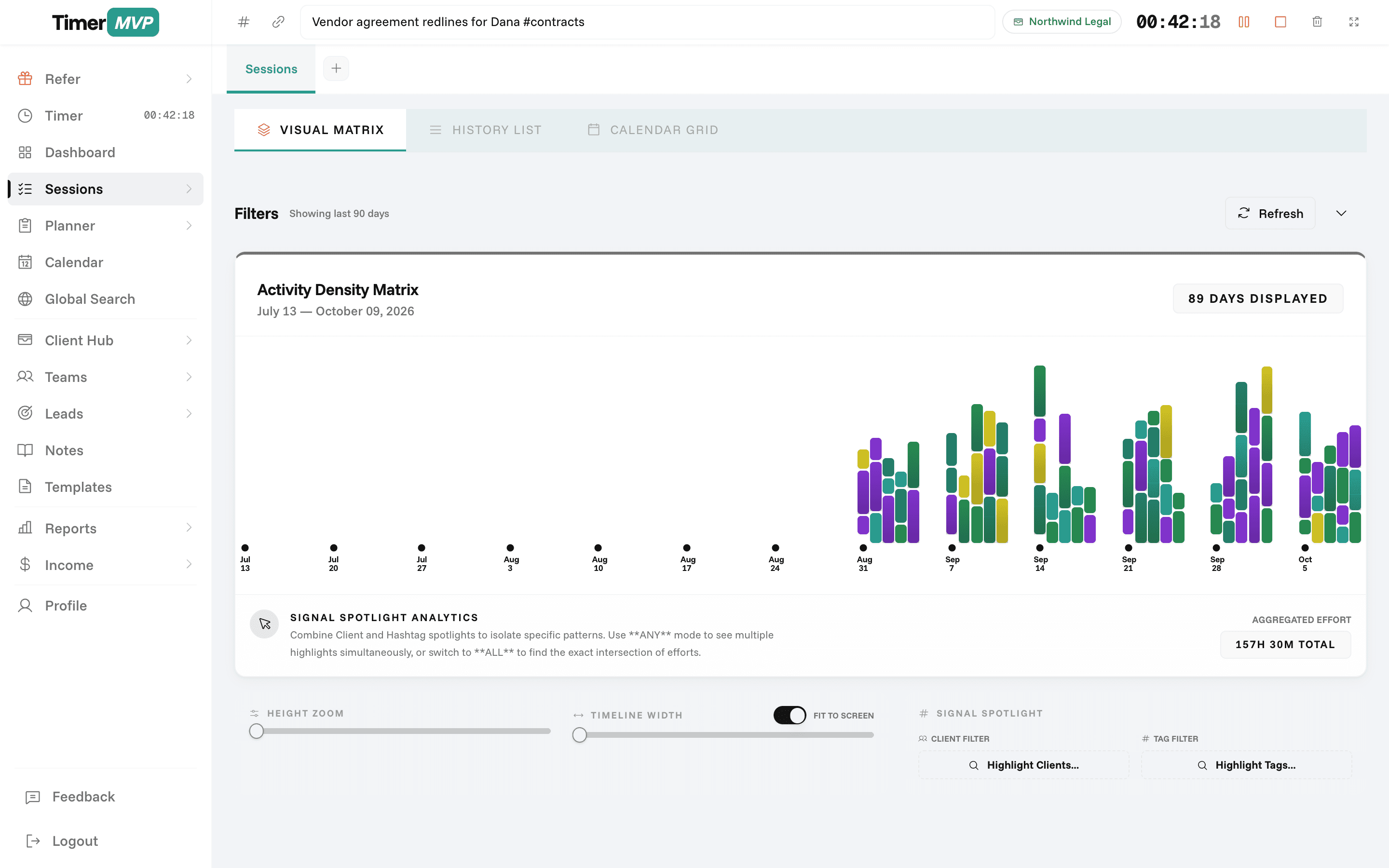
Track that work under an internal client with no rate. It stays out of billable totals but shows up in your week. After a month, the punch card on the dashboard shows when in the week you actually do billable work, by weekday and hour, which makes it easier to protect those blocks.
Frequently Asked Questions
Stop Leaving Billable Hours on the Table
Track every minute, bill with confidence. Start your free 30-day trial today.
No credit card required • Cancel anytime • 30-day free trial