The Best FreshBooks Alternative for Freelancers
FreshBooks is an accounting tool that added time tracking. TimerMVP is a business platform built around how you actually work.
Why People Switch From FreshBooks
Common frustrations that drive freelancers to look for something better.
Expensive for What You Get
FreshBooks starts at $11.50/mo for just 5 clients. Their Plus plan ($21/mo) still limits you to 50 clients. TimerMVP has no limits at $9.99/mo.
Time Tracking Is an Afterthought
FreshBooks' timer is basic — no multi-timer, no break tracking, no activity heatmaps. It was bolted onto an accounting tool, not built for time-centric work.
No Business Development Tools
FreshBooks has no lead pipeline, no contract management with e-signatures, and no weekly planner. You still need separate tools for growing your business.
Why TimerMVP Is the Better Choice
Here's what you get when you switch from FreshBooks to TimerMVP.
70% Lower Cost
$9.99/mo vs FreshBooks' $21/mo Plus plan. Save over $130/year while getting more features for running your freelance business.
Time Tracking First
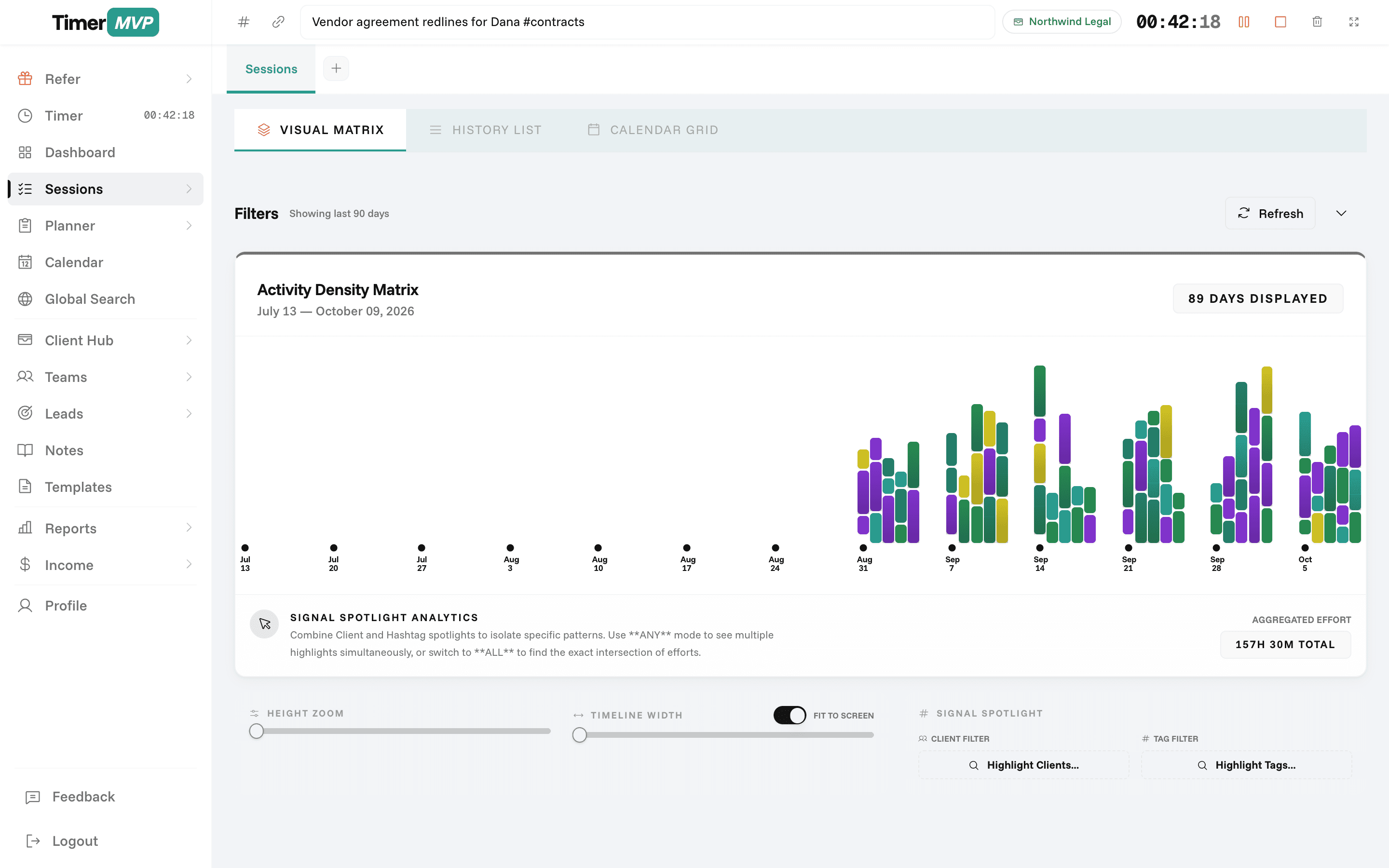
Multi-timer, break tracking, activity density heatmaps, and session notes — built for professionals who bill by the hour.
Lead-to-Contract Workflow
Track a lead, sign a contract, and log the work — all in one connected workflow.
Features That Set Us Apart
Everything you need to track time, manage clients, and grow your business.
Professional Time Tracking
Purpose-built timers with dual-timer support, break tracking, and visual work pattern analysis.
- Two concurrent timers
- Automatic break detection
- Activity density heatmap
- Session notes & hashtags
Contracts & E-Signatures
Build contracts from templates, customize terms, and collect legally binding e-signatures — without DocuSign or HelloSign.
- Professional contract templates
- Custom terms & scope
- Digital e-signatures
- Signed contract archive
Lead Pipeline & Conversion
Track every prospect through your sales pipeline with deal values and conversion analytics.
- Prospect → Won/Lost pipeline
- Deal value estimation
- Conversion rate tracking
- Activity timeline per lead
In depth
Looking past FreshBooks: replace it, or add TimerMVP beside it?
FreshBooks is accounting software with time tracking included. If you are searching for an alternative, the first question is whether you want to replace your accounting or improve how you track and plan your time. TimerMVP does the second, not the first. This page helps you decide which move you are making and how to set it up.
Should I replace FreshBooks or use TimerMVP alongside it?
If FreshBooks runs your invoices, expenses, and books, keep it. TimerMVP does not do invoicing, expense tracking, or double-entry accounting. Replacing FreshBooks with TimerMVP alone would leave those jobs undone.
The more common move is to add TimerMVP for the time side. You plan and track the week in TimerMVP, see what each client is worth per hour, and send invoices from FreshBooks. If your work is mostly hourly and FreshBooks feels heavy for a solo practice, you might move invoicing to a lighter tool later, but that is a separate decision.
How do I set up TimerMVP if I already use FreshBooks?
Start with your client list. Add each active client to TimerMVP with the hourly rate you charge, the billing increment, and any retainer or ad-hoc project. Use the same client names you use in FreshBooks so reports and invoices match.
Then pick a billing rhythm. At the end of each period, run a TimerMVP report for each client and date range, export it, and use the totals to create the invoice in FreshBooks. It adds a few minutes per client and gives you a work log to attach.
Once the routine is set, use the dashboard between billing dates rather than only at invoice time. A mid-month look at actual against projected income tells you whether you need more billable hours or a new client before the month closes. That is the habit that makes adding a second tool worth it.
- Match client names between TimerMVP and FreshBooks
- Enter current rates and billing increments before tracking
- Connect Google Calendar to start timers from scheduled events
- Export a report per client at billing time
What changes in your week after adding TimerMVP?
Time stops being something you reconstruct at invoice time. Each session is logged as it happens, with notes, hashtags, and the rate saved on the entry. You can run two timers when work overlaps and track breaks inside a session.
The week also gets a plan and a review. The planner shows what you meant to do, what carried forward, and what is waiting on someone. The dashboard shows effective hourly rate per client, retainer income, and which clients have gone quiet. That is a view accounting software is not built to give you.
What does TimerMVP not cover that FreshBooks does?
Invoicing, payments, expenses, and bookkeeping. Those are the core of FreshBooks and they are not part of TimerMVP. If you need a single tool that takes you from tracked hours to a paid invoice and a balanced ledger, FreshBooks is the better choice.
TimerMVP also does not connect directly to accounting software today. The link between the two is an exported report. For most solo professionals that is a small step, but if you bill dozens of clients a month, weigh the extra minutes before you commit.
Frequently Asked Questions
Stop Overpaying for Features You Need.
Time tracking, contracts, CRM, and planning — $9.99/mo. Try free for 30 days.
No credit card required • Cancel anytime • 30-day free trial