Document Everything That Matters.
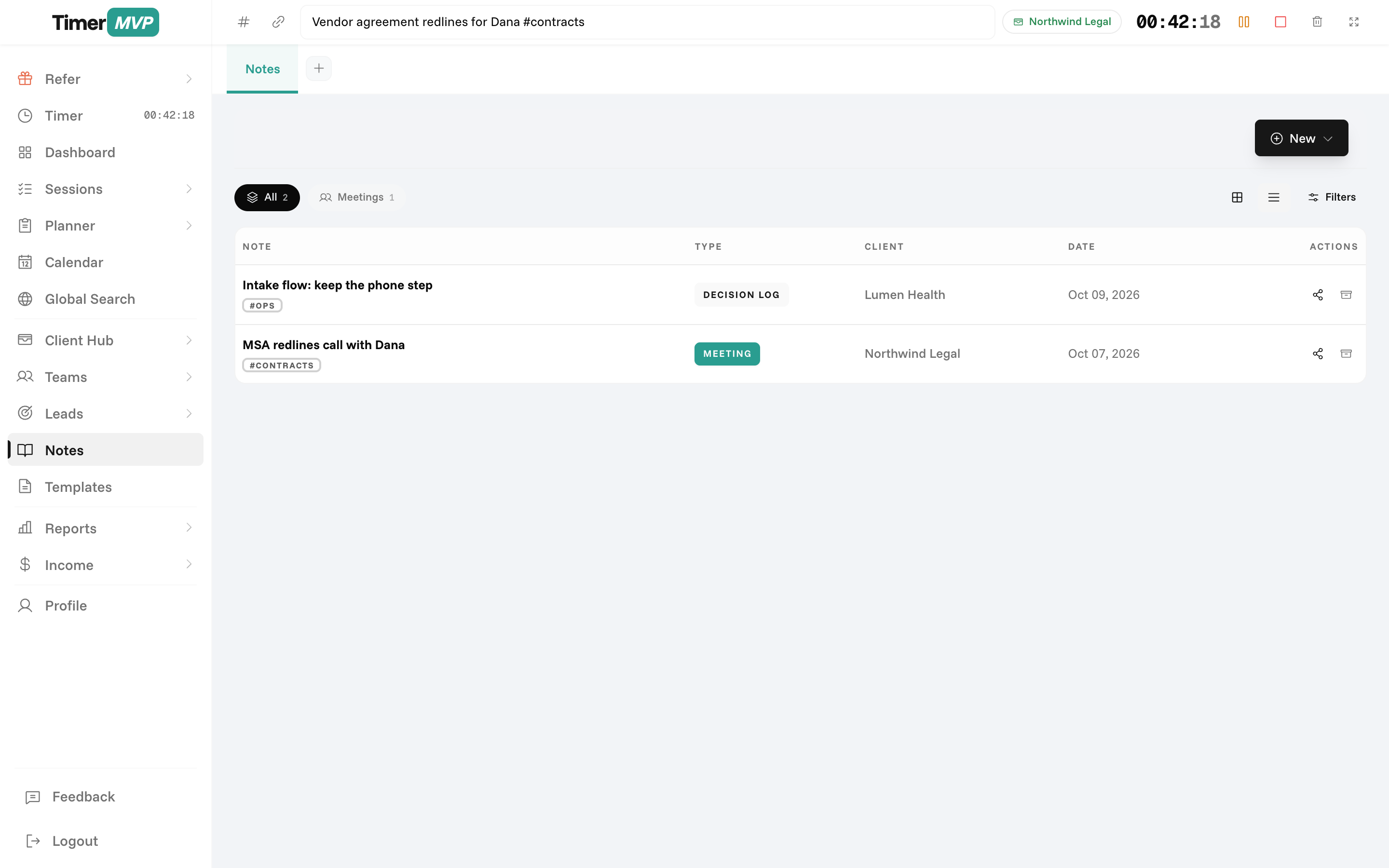
A rich WYSIWYG editor with 10 note types, shareable links, and full-text search — your freelance business journal.
No credit card required • 30-day free trial
Why Freelancers Love This
Built specifically to solve the headaches of running a freelance business.
10 Note Types
Meeting notes, brain dumps, ideas, client feedback, project specs, and more. Choose the right type for every note.
WYSIWYG Rich Text Editor
Format text, add images, embed links, and create beautiful notes. TipTap editor with all the tools you need.
Sharing with Secure Links
Share notes with clients or team members via secure links. Control who can view, edit, or just read.
Precision Engineered
For Growth
Every pixel is designed to help you save time and make more money.
Note Creation & Organization
Create notes of different types and organize them by client, date, or hashtag. Full-text search finds any note instantly.
Rich Text Editing
Write with a professional editor. Format text, add images, embed videos, create lists, and structure your notes beautifully.
Sharing & Collaboration
Generate shareable links to notes. Set permissions for viewing, editing, or commenting. Perfect for client collaboration.
In depth
Client notes and a work journal that live next to your time
Notes are the context behind your hours. The meeting where scope changed, the client's preference you will forget by next month, the idea you had on Thursday. TimerMVP keeps notes and journal entries in the same place as your clients and sessions, with a rich text editor for writing and shareable links for when someone else needs to read them.
What is the best way to take client meeting notes?
Write them during or right after the meeting, and always capture three things: what was decided, who owns each next step, and any change in scope or budget. Those three items cover most disputes before they start. Everything else is helpful, but those are the ones you will need later.
In TimerMVP, you can write notes in a full rich text editor with headings, lists, and links, and tie them to the client. If you also had a timer running for the call, the session note and the meeting note tell the same story from two angles: how long it took and what came out of it.
Why should a consultant keep a work journal?
A journal records the things a time log cannot. Why you made a decision. What frustrated you about a project. What you would quote differently next time. Read back over a quarter, it shows patterns in your work that numbers alone do not explain.
It does not need to be long. A few lines at the end of the day is enough. Over time, those entries become the raw material for better pricing, clearer contracts, and an honest weekly review. They also give you something useful to look back on when a similar project comes along.
- Rich text editor with headings, lists, and links
- Notes tied to clients for quick lookup
- Shareable links for read-only access
- Journal entries for daily reflection
How do I share notes with a client without emailing documents?
Generate a shareable link for the note and send that instead. The client opens it in a browser and reads the latest version. If you update the note after a follow-up call, they see the change without you sending a new attachment.
This works well for meeting recaps, project briefs, and onboarding notes. Instead of three versions of a recap in an email thread, there is one page that stays current. You choose which notes to share, and everything else stays private to your account.
How do notes connect to the rest of TimerMVP?
Notes sit alongside the clients, sessions, and planner items you already have. When you open a client, the context is there. When you plan the week, you can check the last meeting note before deciding what that client gets on Tuesday.
The value is in not switching tools. A developer finishing a sprint, a designer collecting feedback, and a coach logging a session all end up with the hours and the explanation in the same place. When someone asks what happened in March, you can answer with both.
Frequently Asked Questions
Keep Your Freelance Knowledge Organized
Never lose important client notes or project ideas again. Document your business with ease.
No credit card required • Cancel anytime • 30-day free trial