Stop Losing Billable Hours. Start Tracking Every Minute.
One-click timers, automatic session logging, and real-time earnings tracking — built for how freelancers actually work.
See Your Activity at a Glance
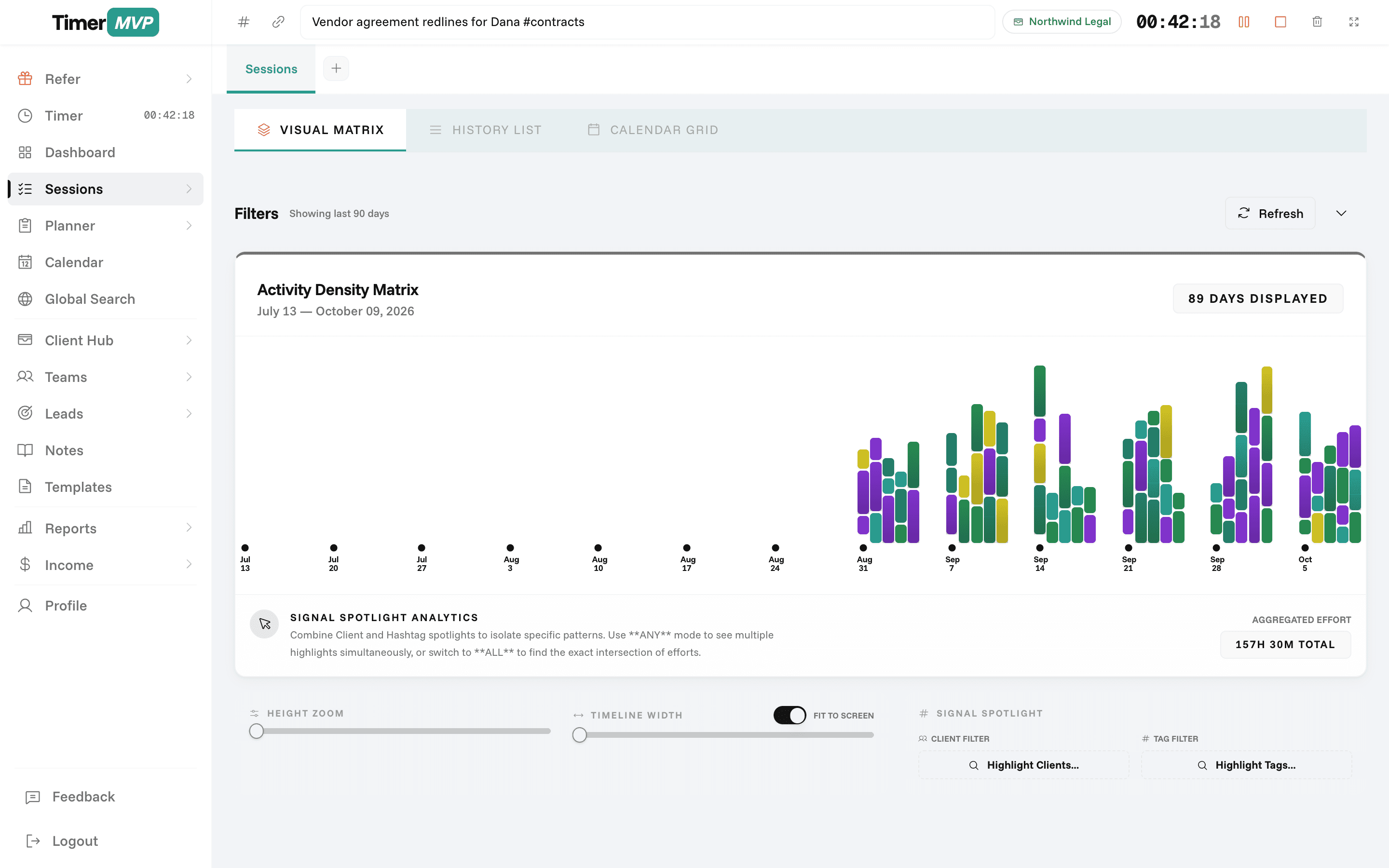
The Activity Density Matrix visualizes your billable time across clients and days — so you can spot gaps, optimize your schedule, and ensure no work goes unbilled.
Activity Density Matrix
Track Every Billable Minute
Why Freelancers Love This
Built specifically to solve the headaches of running a freelance business.
Multiple Concurrent Timers
Run up to 2 timers simultaneously to track different clients or projects without context switching interruptions.
Hashtag-Based Categorization
Organize sessions with custom hashtags for easy filtering, reporting, and understanding where your time goes.
Break Tracking with Auto-Deduction
Automatically deduct break time from billable hours—no manual calculations needed.
Precision Engineered
For Growth
Every pixel is designed to help you save time and make more money.
Quick-Start Timers
Launch a timer in one click. Assign it to a client, add notes, and track in real time without complicated setups.
Review client proposal and send feedback
Update project timeline in Trello
Schedule team sync for next week
Session Notes & Hashtags
Attach detailed notes to every session and use hashtags for smart organization and future filtering.
Add session notes...
Hashtags
Run Two Timers at Once
Handle quick calls and last-minute projects without stopping your current session. Pause one, start another — both stay tracked.
Acme Corp
Website Redesign
...
In depth
How time tracking works in TimerMVP, from first click to billable hour
Time tracking only pays off if the record is accurate and you actually keep it. TimerMVP is built around one deliberate act: you click start when the work starts and stop when it ends. Everything else, from earnings to reports, follows from that record. Here is how the timer, sessions, breaks, and rates fit together in a normal working day.
What is the best way to track billable hours as a consultant or freelancer?
Track as you go, not at the end of the week. Reconstructing Tuesday on Friday afternoon is how hours go missing. You remember the big blocks and forget the twenty-minute call, the late email thread, and the revision you did between meetings. Those small pieces add up, and they are usually the ones you never bill.
In TimerMVP you pick a client, press start, and work. When you stop, the session is saved with its start time, end time, client, and any notes you typed while the clock ran. There is no timesheet to fill in later. The session list is the timesheet, and it is already done.
How do I track time for two clients at once without losing minutes?
Real days are messy. You are deep in a design file for one client when another calls with an urgent question. TimerMVP lets you run up to two timers at the same time, so you can pause the first, start the second, and come back without stopping and restarting anything.
The two-timer limit is deliberate. One focused task plus one interruption covers almost every real situation. More than that and the record stops reflecting what you were actually doing, which defeats the purpose. Pause and resume keep each session honest, and break tracking takes your lunch or school run out of the billable total so you do not have to subtract it by hand.
What happens to past sessions when I raise my hourly rate?
Each session stores a snapshot of the hourly rate that applied when it was logged. If you move a client from $120 to $150 an hour in March, your January and February sessions still show $120. Only new sessions pick up the higher rate.
This matters more than it sounds. Without a snapshot, a rate change would quietly rewrite your history, and last quarter's income would suddenly look bigger than what you were paid. With it, your earnings reports match what you actually invoiced, and you can see the real effect of a rate increase over time.
- Rate is captured per session, at the time it is logged
- Changing a client's rate affects future sessions only
- Billing increments are set per client
- Break time is excluded from billable totals
How should I use notes and hashtags on time entries?
Notes answer the question a client will eventually ask: what did those three hours cover? A one-line note written while the timer runs is far more credible than a description written a month later. Keep it short and specific, like "homepage revisions, round two" or "contract review, indemnity clause".
Hashtags group work across clients. A lawyer might tag #drafting, #research, and #calls. A developer might use #bugfix and #feature. Later, the reports page can filter by tag, so you can see how many hours went to meetings this month, or how much unbilled admin time you are carrying.
Can I start a timer from a calendar meeting?
Yes. With Google Calendar connected, you can start a timer straight from an event. TimerMVP matches the event to the right client, so a call titled with the client's name starts against that client without you picking it from a list.
After the event, it asks whether the meeting was attended, missed, or moved. That small check keeps your record accurate when meetings run short, get rescheduled, or never happen. Over a few weeks, it also shows you which clients tend to move calls, which is useful to know when you plan your week.
Frequently Asked Questions
Never Lose Another Billable Hour
Join thousands of freelancers tracking time more efficiently. Start your 30-day free trial today.
No credit card required • Cancel anytime • 30-day free trial