Time Tracking Built for How Freelancers Actually Work
You juggle clients, chase invoices, and context-switch all day. TimerMVP tracks every billable minute so you always know what you earned and where your time went.
No credit card required • 30-day free trial
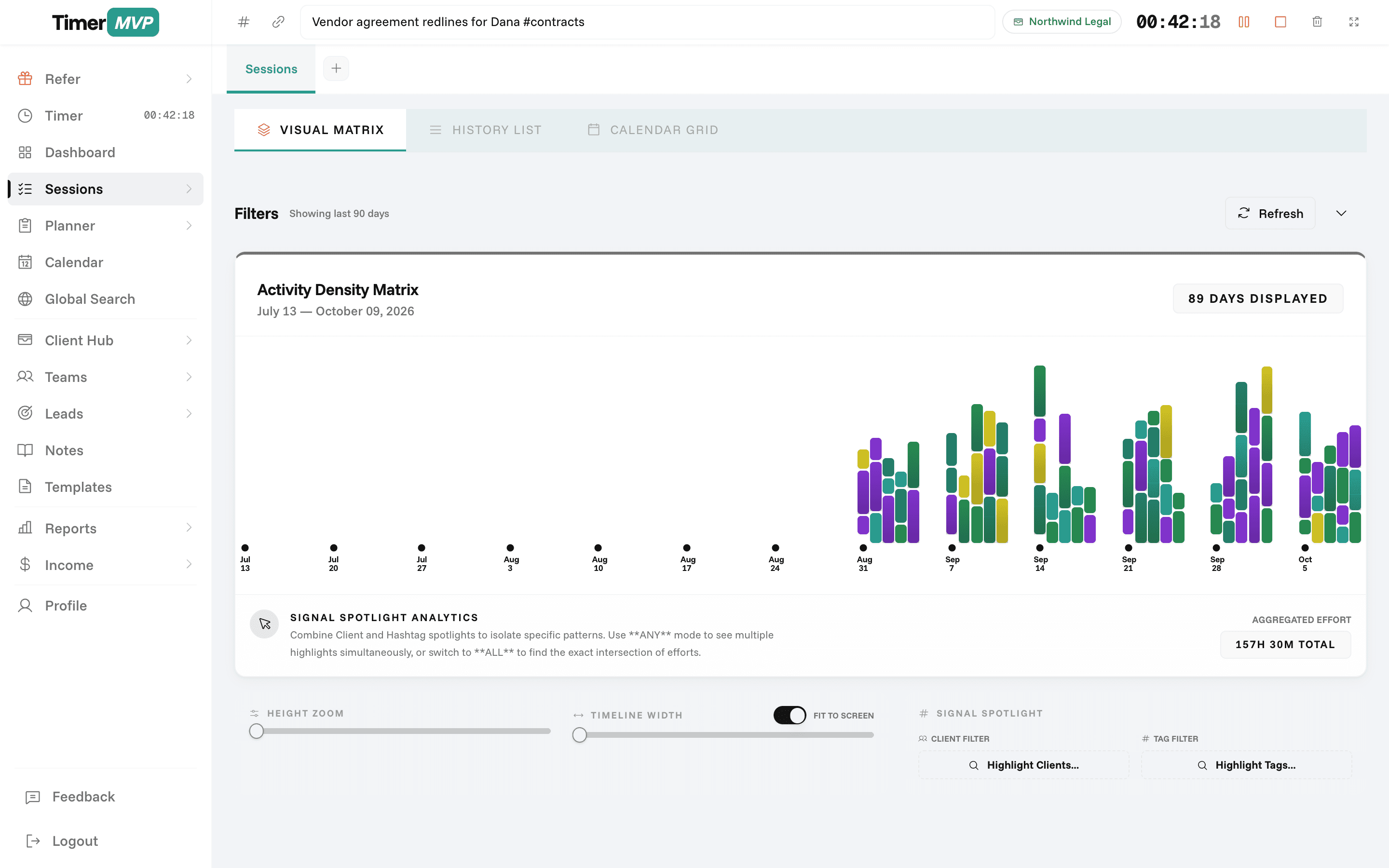
Why Freelancers Love This
Built specifically to solve the headaches of running a freelance business.
Real-Time Billable Tracking
Start a timer in one click and switch between clients without missing a second. See exactly how much you've earned today, this week, and this month.
Know Your Real Hourly Rate
Stop guessing. TimerMVP calculates your effective hourly rate per client based on actual tracked time — not estimates.
Weekly Clarity, Not Guesswork
Plan your week with a visual planner, review where your hours went, and make data-driven decisions about which clients to keep, raise, or fire.
Precision Engineered
For Growth
Every pixel is designed to help you save time and make more money.
Multi-Client Time Tracking
Freelancers don't work on one thing at a time. Run concurrent timers for different clients, tag sessions with hashtags, and never lose a billable minute.
Client & Retainer Management
Keep every client organized in one place. Set hourly rates, track retainer balances, and know exactly which clients are profitable.
Reports That Win Arguments
When a client asks "where did all those hours go?" — you'll have the answer. Detailed reports with time breakdowns, PDF export, and per-project filtering.
In depth
How freelancers use TimerMVP to run the business behind the work
Freelancing means you are the talent, the account manager, and the finance department. Most freelancers know roughly what they earned last month. Far fewer know which client paid them best per hour or where their week actually went. TimerMVP gives you a simple weekly routine that answers both.
How should a freelancer track time across multiple clients?
Start a timer when you start work for a client and stop it when you stop. Each session belongs to a client, with a note on what you did and an optional hashtag. That is the whole habit, and it is the only way to get data you can trust.
You can run up to two timers at once and pause either one. Breaks are tracked separately, so lunch does not count as client time. If you forget to start a timer, add a manual session afterwards. Durations round to the nearest minute.
Each client has an hourly rate and a billing increment. Retainer clients have a monthly amount with start and end dates. Fixed-fee work goes into ad hoc projects with due dates. Everything ends up on the same scoreboard.
What does a weekly review look like for a freelancer?
On Monday, list your week in the planner, Monday through Sunday. During the week, track sessions as you work. On Friday, open the week review. It shows what got done, what moved to next week, and what is stuck waiting on someone.
Mark a stuck item by typing a greater-than sign before the person's name, like >Alex. It stays visible but drops out of your score. Items that carry forward show their age, amber at seven days and red at fourteen. Ten minutes on Friday is enough to see the week clearly and set up the next one.
- Monday: plan the week by client
- Daily: track sessions with short notes
- Friday: run the week review
- Monthly: check effective rates and income
How do I find out which freelance clients are worth keeping?
Open the dashboard and look at the effective hourly rate per client. It is what each client paid divided by the hours you spent on them, whether they are hourly, on a retainer, or a fixed-fee project. The spread is often wider than you expect.
Then check top-client concentration and quiet clients. If one client is most of your income, you carry more risk than it feels like. If a good client has gone quiet, that is a message worth sending this week. The worth-a-look list collects these patterns in one place.
How can a freelancer tell if they are on track for the month?
The income page breaks income into retainer, ad hoc, and hourly, and shows actual against projected. Halfway through the month, you can see whether hourly work is keeping pace or whether you need to fill the second half.
The dashboard also compares hours to last month. Combined with the leads pipeline, where prospects move from prospect to won or lost, you can see both what is coming in and what is already booked. That is the difference between running a freelance business and waiting to see how the month turns out.
Frequently Asked Questions
Stop Guessing. Start Tracking.
Join freelancers who know exactly where their time goes. Free for 30 days.
No credit card required • Cancel anytime • 30-day free trial