Time Tracking Software for Consultants Who Bill Every Minute.
Built for consultants who juggle multiple engagements. Track time, manage retainers, generate client reports, and grow your practice — all from one dashboard.
No credit card required • 30-day free trial
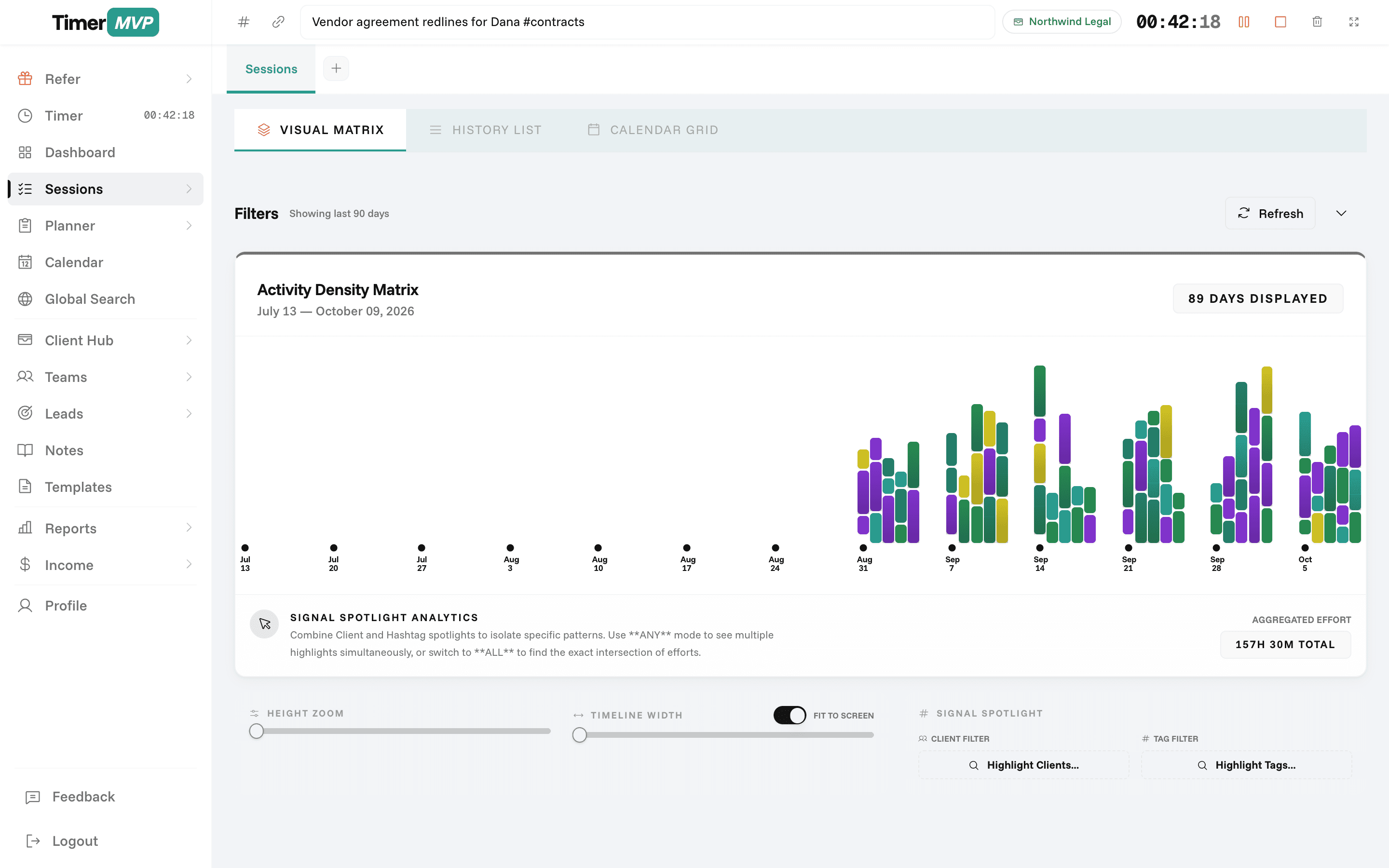
Why Freelancers Love This
Built specifically to solve the headaches of running a freelance business.
Multiple Engagement Tracking
Run concurrent timers for different clients. Switch between engagements without losing a second of billable time.
Retainer Management
Set monthly retainers, track utilization in real time, and get alerts when retainer balances are running low.
Client-Ready Reports
Export professional time reports for client review and billing. Filter by engagement, date range, or project.
Precision Engineered
For Growth
Every pixel is designed to help you save time and make more money.
Multi-Client Time Tracking
Track time across engagements without switching apps. Every session is linked to a client with automatic earnings calculation.
Retainer & Billing Management
Monitor retainer balances in real time. Know exactly how much is left and when to renegotiate.
Professional Reporting
Generate reports clients actually want to see. Clean, detailed, and ready for billing review.
In depth
How consultants use TimerMVP day to day
Consulting is a business of engagements, not tasks. You sell a block of expertise, then deliver it across calls, analysis, workshops, and follow-up. The question that matters is simple: is each engagement paying you what you think it is? Here is how independent consultants use TimerMVP to answer that with real numbers instead of a gut feeling.
What's a good utilization rate for a solo consultant?
Utilization is billable hours divided by the hours you planned to work. There is no universal right number, because a solo consultant also has to sell, write proposals, and run the business. What matters more is knowing your own number and watching how it moves from week to week.
In TimerMVP, you set a weekly hours target and every session you track counts toward it. A session is billable when the client has an hourly rate. Internal work, like proposal writing or bookkeeping, can live under a client with no rate, so it still shows up in your week without inflating your billable total.
Say you plan 40 hours and bill 24. That is 60 percent. If it drops to 45 percent for three weeks in a row, you know before the month closes that either sales or delivery is eating your calendar. The dashboard shows hours against last month so you catch the trend early.
How do consultants track time on a retainer engagement?
Retainers feel safe because the money is fixed. The risk is that the hours are not. A client paying a monthly retainer can quietly expand from 10 hours a month to 25, and your effective rate falls by more than half without anyone saying a word.
TimerMVP stores the retainer on the client with a monthly amount and a start and end date. You still track every session against that client. The dashboard then divides retainer income by the hours you actually logged and shows a per-client effective hourly rate next to your hourly clients.
That number gives you a factual basis for the renewal conversation. You are not saying you feel overworked. You are saying the engagement averaged 22 hours a month for the last quarter, and the retainer was scoped for 12.
- Monthly retainer amount with start and end dates
- Every session still tracked against the client
- Effective hourly rate calculated from real hours
- Retainer income shown separately on the income page
How should a consultant handle one client becoming most of their revenue?
Client concentration is the quiet risk in most consulting practices. One large engagement is great until it ends. The dashboard shows your top client's share of income, so you can see when one relationship starts to carry the whole business.
It also lists quiet clients, the ones you have not logged time for in a while. For a consultant, a quiet client is often a renewal or follow-on opportunity that slipped. Pair that with the leads pipeline, where prospects move from prospect to won or lost, and you can see whether new work is coming in fast enough to balance a heavy account.
How do consultants plan a week across several engagements?
The weekly planner runs Monday to Sunday. You list what each engagement needs this week, and anything you do not finish carries forward. Items show an age pill that turns amber at seven days and red at fourteen, so a deliverable that keeps sliding becomes obvious.
Consulting work often stalls on the client side. Type a greater-than sign before a name, like >Priya, and the item is marked as waiting on that person. It drops out of your score so you are not penalized for someone else's delay. On Friday, the week review shows what got done, what moved, and what is stuck, and the by-client view shows the same week grouped by engagement.
Can I show a client exactly what an engagement included?
Every session can carry notes and hashtags. Tag sessions with something like #discovery or #workshop and the custom report builder can filter by client, date range, and tag. Export to PDF for the client or CSV for your own invoicing.
Because each session stores the hourly rate at the time it was tracked, raising your rate next quarter does not rewrite last quarter's report. Historical numbers stay accurate, which matters when a client asks you to reconcile an older invoice.
Frequently Asked Questions
Bill Every Minute You've Earned
Join consultants who've stopped losing billable hours. Start your free 30-day trial.
No credit card required • Cancel anytime • 30-day free trial