Every Client. Every Rate. Every Project. One Dashboard.
Stop juggling spreadsheets. Manage clients, rates, retainers, and project history in a single organized hub.
Why Freelancers Love This
Built specifically to solve the headaches of running a freelance business.
Client Profiles with Custom Rates
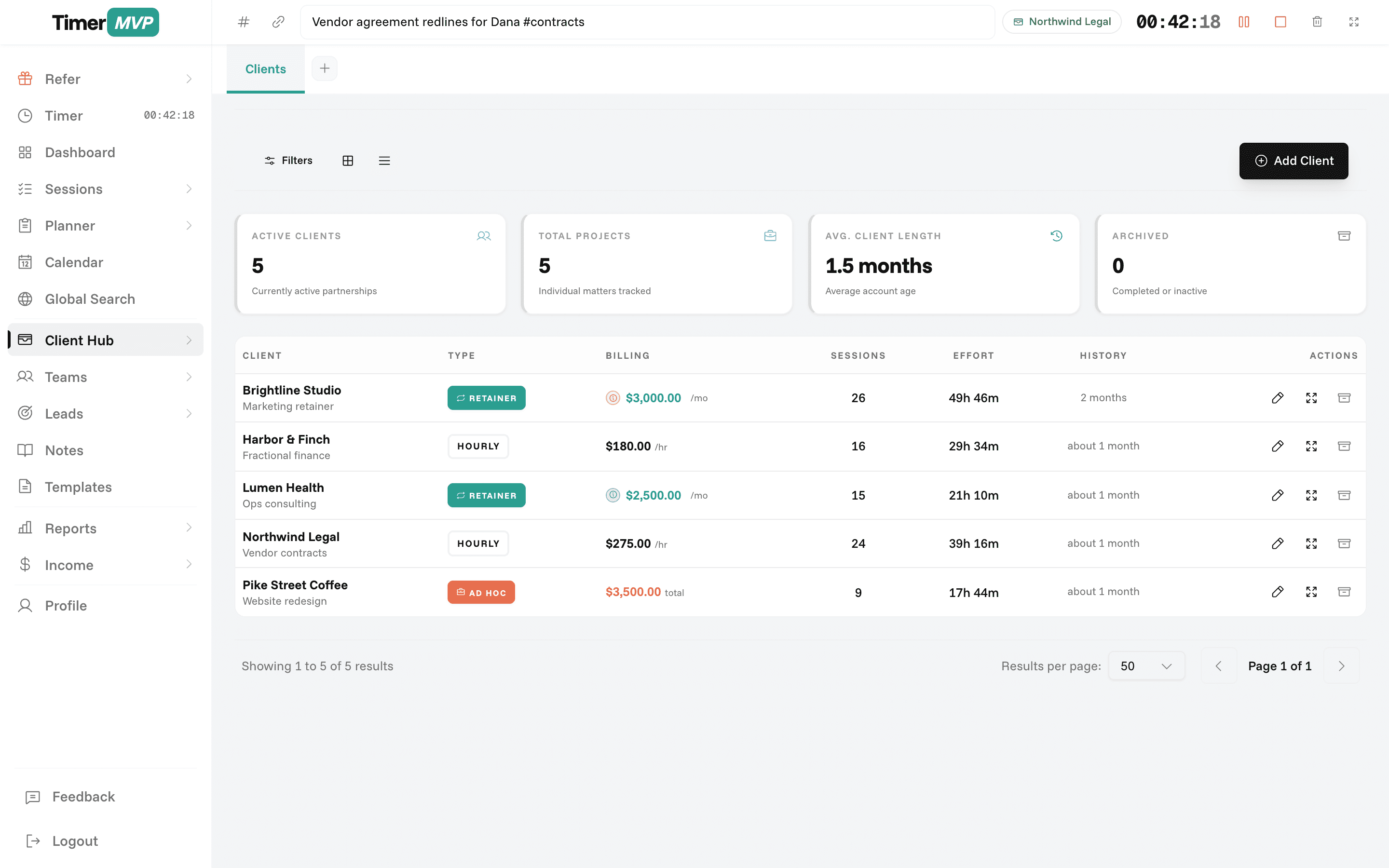
Create detailed client profiles with individual hourly rates, retainer amounts, and billing preferences all in one place.
Project & Request Tracking
Organize work into projects and requests per client. Track what you're building and prioritize your workload.
Archive & Restore Flexibility
Archive inactive clients to keep your dashboard clean, then restore them instantly when work resumes.
Precision Engineered
For Growth
Every pixel is designed to help you save time and make more money.
Client Setup with Billing Info
Build a complete client profile including contact details, hourly rates, retainer balances, and payment history.
Monthly Retainers
Requests & Work Items
Break down client work into specific requests or projects. Track scope, status, and deliverables for each.
Projects
0/2 Completed
Client Analytics & Insights
See how much you're earning from each client, total hours worked, and profitability at a glance.
In depth
Managing clients, rates, and retainers in one place
A client record in TimerMVP is more than a name and an email. It holds the rate you charge, how you bill, any retainer you have agreed, and the projects you are working on. Because your time sessions attach to that record, every client page doubles as a running account of the relationship: what you did, what it earned, and how it is trending.
How should a freelancer organize client billing information?
Start with three things per client: the hourly rate, the billing increment, and the billing model. The increment matters because some clients are billed in 6-minute units, some in 15, and some by the actual minute. Setting it once on the client means you never have to remember who gets what.
Then decide how the client pays you. Some are purely hourly. Some pay a monthly retainer with a start and end date. Some bring one-off projects with a fixed price and a due date. Many clients end up as a mix, and TimerMVP keeps all three on the same record so your income stays readable.
- Hourly rate and billing increment per client
- Monthly retainers with start and end dates
- Ad hoc projects with due dates
- Archive clients without losing their history
How do I know if a retainer client is actually profitable?
Divide what the retainer pays by the hours you spent. Say a client pays $3,000 a month and you logged 20 hours. Your effective rate is $150 an hour. If next month you log 32 hours for the same $3,000, your rate drops to under $94, and you may not notice unless something shows you.
TimerMVP shows this per client on the dashboard. Every session you track against a retainer client pulls the effective hourly rate down or holds it steady. When a retainer starts to drift, you see it while there is still time to have the scope conversation, rather than at renewal.
How can I tell which clients have gone quiet?
Clients rarely announce that they are drifting away. The calls just get further apart. The dashboard flags quiet clients, the ones you have not logged time against recently, so you can reach out before the relationship cools completely.
It also shows top-client concentration: how much of your income comes from your single biggest client. If one client is half your revenue, that is worth knowing in plain numbers. It does not mean you should drop them. It means a lost contract would hurt more than you might think, and your lead pipeline deserves attention.
What should I do with old or inactive clients?
Archive them. An archived client disappears from your active lists and timer picker, so your daily view only shows the people you are working with now. All their sessions, notes, and earnings stay intact and still appear in historical reports.
When a past client comes back, you restore them and pick up where you left off. Their old rate history is still there, which helps when you are deciding what to quote the second time around. A designer who last worked with a client two years ago at $90 an hour can see that and price the return job properly.
Frequently Asked Questions
Organize Your Freelance Business
Stop tracking clients in spreadsheets. Get a centralized client management system built for freelancers.
No credit card required • Cancel anytime • 30-day free trial