The Best Clockify Alternative for Freelancers
Free time tracking sounds great — until you need contracts, a CRM, or retainer management. Then it's not free anymore.
Why People Switch From Clockify
Common frustrations that drive freelancers to look for something better.
Essential Features Are Paywalled
Clockify's free tier is limited. Scheduling, advanced reports, and calendar integrations all require paid upgrades — charged per user.
No Client Operations Tools
Clockify tracks time well, but there's no contract management, no retainer tracking, no lead pipeline, and no weekly planner.
Cluttered Enterprise Interface
Clockify was built for teams of all sizes, which means the UI includes features freelancers will never use — adding complexity without value.
Why TimerMVP Is the Better Choice
Here's what you get when you switch from Clockify to TimerMVP.
Everything Included
No paid add-ons, no feature tiers. Every feature — contracts, CRM, planning, retainers — is included at $9.99/mo.
Built for Solo Professionals
A clean, focused interface designed for freelancers and small teams — not enterprise workforces.
Privacy & Security First
Built-in privacy mode, row-level security, and GDPR compliance. Your business data stays protected.
Features That Set Us Apart
Everything you need to track time, manage clients, and grow your business.
Multi-Timer & Break Tracking
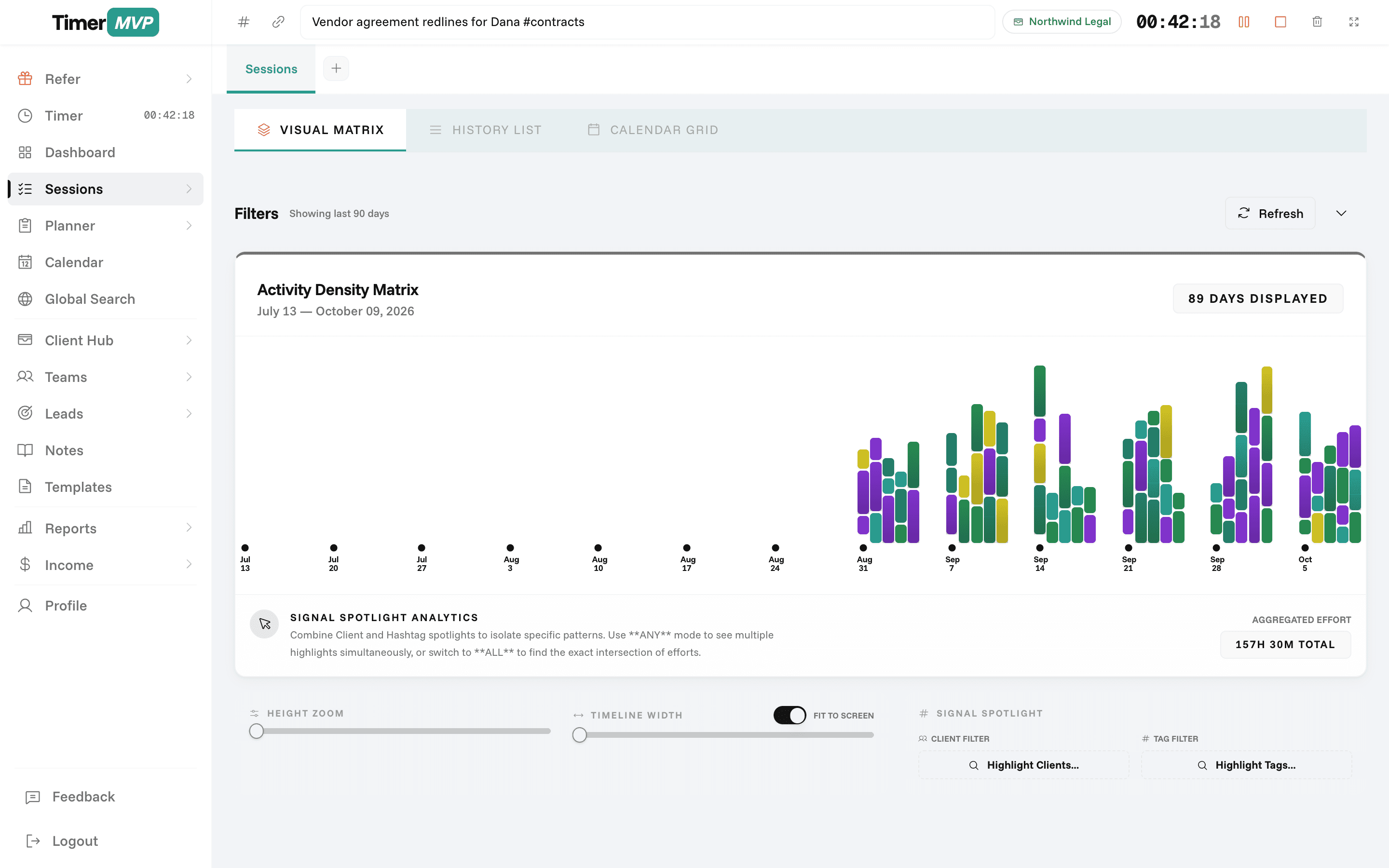
Run two timers at once, track breaks automatically, and see your work patterns with activity density heatmaps.
- Dual concurrent timers
- Break detection & logging
- Activity density heatmap
- Session tags with hashtags
Complete Client Management
Manage client profiles, retainers, requests, and communication history — all connected to your time data.
- Client profile cards
- Retainer hour tracking
- Client request management
- Linked session history
Weekly Planner & Journal
Plan your week with a drag-and-drop planner and capture insights in a rich-text journal.
- Monday-to-Sunday grid view
- Rich text journal entries
- Connected to client sessions
- Week-over-week patterns
In depth
Leaving Clockify: what you gain, what you give up, and how to switch
Clockify is a free time tracker, and that is often why people start there. People look for an alternative once they want more from their hours than a timesheet: real rates per client, retainer tracking, a planned week, and income they can trust. Here is what moving to TimerMVP involves and what to expect in the first month.
How do I switch from Clockify without losing my history?
Export your Clockify data as CSV before you change anything. That file is your record of past work, and it stays useful for tax time or a client who asks about last year.
In TimerMVP, set up only your active clients to start. Add each hourly rate and billing increment, then attach retainers or ad-hoc projects. Leave old clients out until you need them. From the first session you log, TimerMVP saves the rate on the entry, so your history from here forward stays accurate even after you raise prices.
What do you gain by moving off Clockify?
The main gain is a dashboard that reads like a business review. You see your effective hourly rate for each client, your retainer income, your top-client share, and which clients have gone quiet. The income page shows actual earnings against your projection for the month.
You also get planning and client work in one place. The weekly planner tracks item age, carries work forward, and ends with a Friday review. Leads move through a pipeline, contracts go out for e-signature, and notes can be shared with a client by link.
- Effective hourly rate per client, including retainer clients
- Actual versus projected income for the month
- Weekly planner with a by-client view and Friday review
- Start a timer from a Google Calendar event and mark it attended, missed, or moved
What will you miss about Clockify?
The free tier is the obvious one. TimerMVP is $9.99 a month after a 30-day trial, with no free plan. If budget is the deciding factor and basic tracking is enough, Clockify is a sensible place to stay.
You may also notice fewer connections to other apps. TimerMVP integrates with Google Calendar and exports reports as CSV and PDF, but it is not built as a hub for many connectors. If your setup depends on time entries flowing into several other tools automatically, list those links before you switch and check each one during the trial.
You will also lose features built for larger workforces, such as kiosk mode for office check-ins. TimerMVP is designed for independent professionals and small teams. If you manage many people who clock in by shift, Clockify suits that work better.
What does the first month look like after switching?
Week one is setup and habit: clients, rates, planner, timer. By Friday, you have your first week review and a dashboard with real numbers. Week two is when patterns show up, like a client who takes twice the hours you expected.
By weeks three and four, you can act on what you see. You might reprice a retainer, follow up with a quiet client, or move a lead forward. If the data has not changed a single decision by the end of the trial, that is useful to know too.
Frequently Asked Questions
Already have history in Clockify?
Export the detailed CSV and import it after you sign up. Every client and hour lands on your dashboard in about a minute.
Outgrow Free. Start Growing.
Get the complete freelance business toolkit — 30 days free, no credit card required.
No credit card required • Cancel anytime • 30-day free trial