TimerMVP vs Clockify
Clockify offers free time tracking — but that's about it. TimerMVP gives you the complete freelance business toolkit.
Feature-by-Feature Comparison
See exactly how TimerMVP stacks up against Clockify.
| Feature | TimerMVP | Clockify |
|---|---|---|
| Time Tracking | ||
| Multi-timer (2 concurrent) | ||
| Break tracking | ||
| Pulse density heatmap | ||
| Session notes & hashtags | ||
| Client Management | ||
| Client profiles | ||
| Retainer tracking | ||
| Client requests / projects | ||
| Contracts & Reports | ||
| Contracts & e-signatures | ||
| Custom reports | Paid add-on | |
| PDF & CSV export | ||
| Productivity | ||
| Weekly planner | ||
| Notes & journal | ||
| Google Calendar sync | Paid add-on | |
| Business Development | ||
| Lead pipeline / CRM | ||
| Conversion tracking | ||
| Team | ||
| Team tracking | ||
Why Freelancers Choose TimerMVP Over Clockify
Key advantages that make the difference for independent professionals.
No Feature Gates
Clockify locks scheduling and advanced reports behind paid tiers. TimerMVP includes everything in one plan — no surprises.
Complete Business Suite
Contracts, e-signatures, lead pipeline, journal, weekly planner — all the tools a freelancer needs, built into one app.
Privacy-First Design
Built-in privacy mode redacts financial data on screen. Row-level security ensures your data stays yours.
Pricing Comparison
Simple pricing vs. complicated tiers. See the difference.
TimerMVP Pro
- All features included
- Unlimited clients & sessions
- Contracts & e-signatures
- Lead pipeline CRM
- Team tracking
- 30-day free trial
- No credit card required
No credit card required
Clockify
- Basic time tracking
- Unlimited users
- Limited reporting
- Time auditing
- Kiosk mode
- Admin management
- Invoicing
- Time off
- Scheduling
- GPS tracking
- Custom fields
- Budget alerts
In depth
Clockify vs TimerMVP: free tracking or a full weekly scoreboard?
Clockify is a time tracker with a free tier that a lot of people start on. TimerMVP is a paid tool at $9.99 a month that ties every session to a client, a rate, and your weekly plan. The choice is less about price and more about what you want to see. Here is how the two compare for independent professionals.
Is Clockify enough for a solo consultant?
It can be. If you need to log hours, tag them to projects, and export a timesheet, Clockify covers that. Many solo professionals run on it for years without trouble.
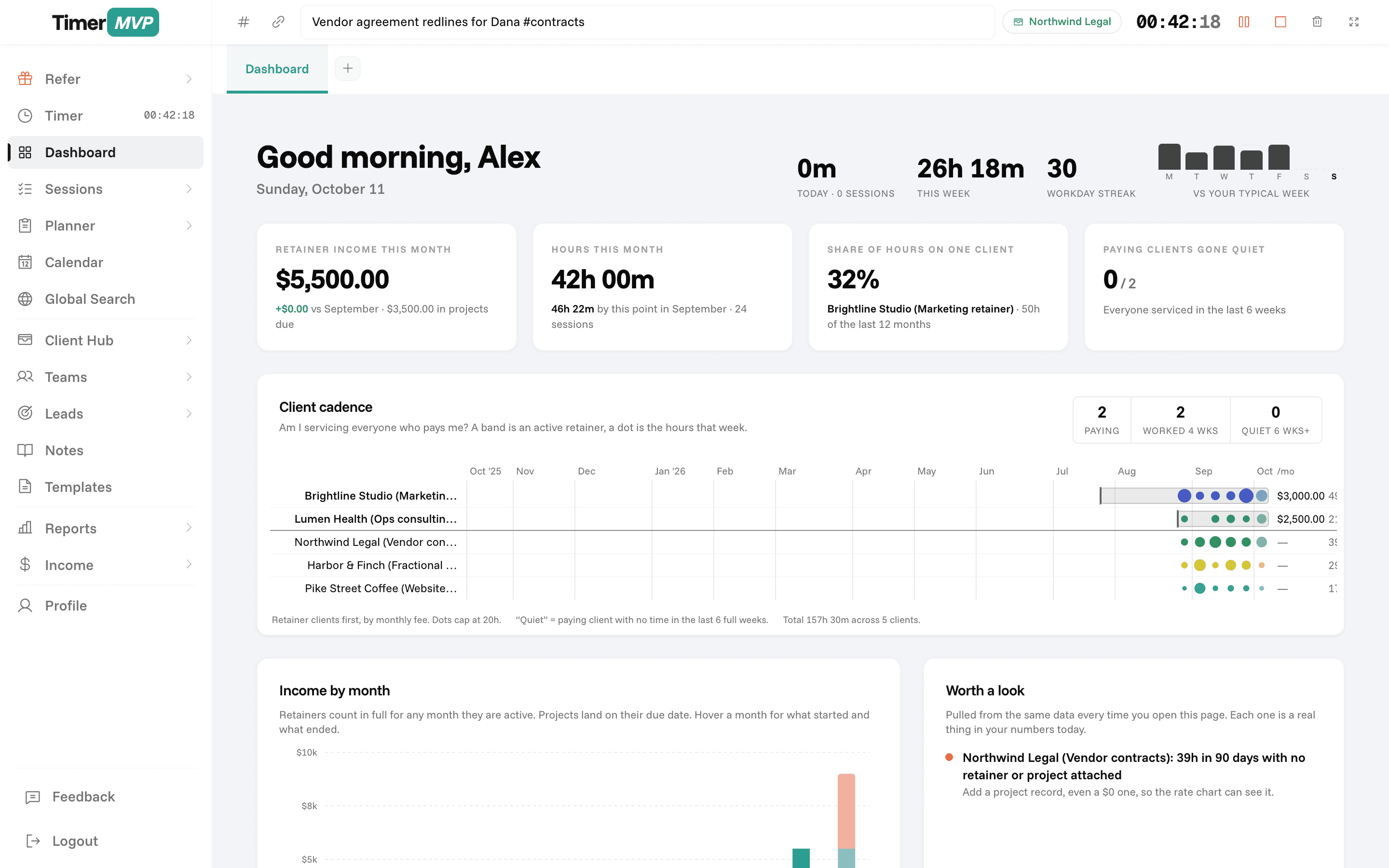
Where it gets thin is the business layer on top of the hours. A consultant usually wants to know which clients are worth the time, how retainers compare to hourly work, and whether income is on pace for the month. You can build that in a spreadsheet from a Clockify export. TimerMVP builds it for you from the sessions you already logged, using the rate saved on each one.
What changes when you track time in TimerMVP instead of Clockify?
The timer feels familiar. The difference shows up on the dashboard. TimerMVP shows your retainer income, your top-client concentration, clients you have not worked for in a while, and an effective hourly rate for each client. That last number is often a surprise: a retainer client can look great on paper and turn out to pay less per hour than anyone else.
TimerMVP also keeps planning in the same place. You set the week in the planner, mark items done, flag what is waiting on someone, and review the week on Friday.
- Per-session hourly-rate snapshots, so past earnings stay accurate when rates change
- Billing increments set per client
- Income page with actual versus projected earnings
- Custom reports with PDF and CSV export
- Google Calendar events you can start a timer from and mark attended, missed, or moved
Does TimerMVP replace Clockify's free plan?
No, and it does not try to. TimerMVP has a 30-day free trial with no card, then one plan at $9.99 a month with every feature included. There is no permanent free tier.
The fair way to compare is to ask what you would pay for the rest of your setup. If you already use separate apps for planning, notes, a lead list, and contracts, TimerMVP may fold some of that in. If you use none of those and only want hours on a timesheet, a free tracker is a reasonable choice.
When is Clockify the better choice?
Clockify is the better fit for larger teams and shift-based workforces. If you need kiosk mode for office check-ins, or you manage many people who all clock in and out, Clockify is built for that and TimerMVP is not.
It is also a good fit if cost is the main constraint and you only need basic tracking. And if your workflow depends on connecting time tracking to many other tools, look closely at what each one integrates with. TimerMVP focuses on its own planner, reports, and Google Calendar integration rather than a long list of connectors.
Frequently Asked Questions
Outgrow Your Time Tracker.
Go from tracking hours to running your business — contracts, CRM, and planning included.
No credit card required • Cancel anytime • 30-day free trial